What is V3KTR?
Drop in a flat photo. V3KTR works out how far the scene goes back, then runs 86 effects through it — so they land inside the picture, not just on top.
Most tools treat a photo as a flat sheet of pixels. V3KTR works out how far into the scene everything sits, then lets any effect use that distance — haze that settles behind the subject, light that wraps the foreground, a camera you can drift through the frame. Then stack the effects you know and run them through each other into looks nobody has made yet.
It opens in a browser tab. Nothing to install, no project file to manage, and your images never leave your machine.
It reads the room
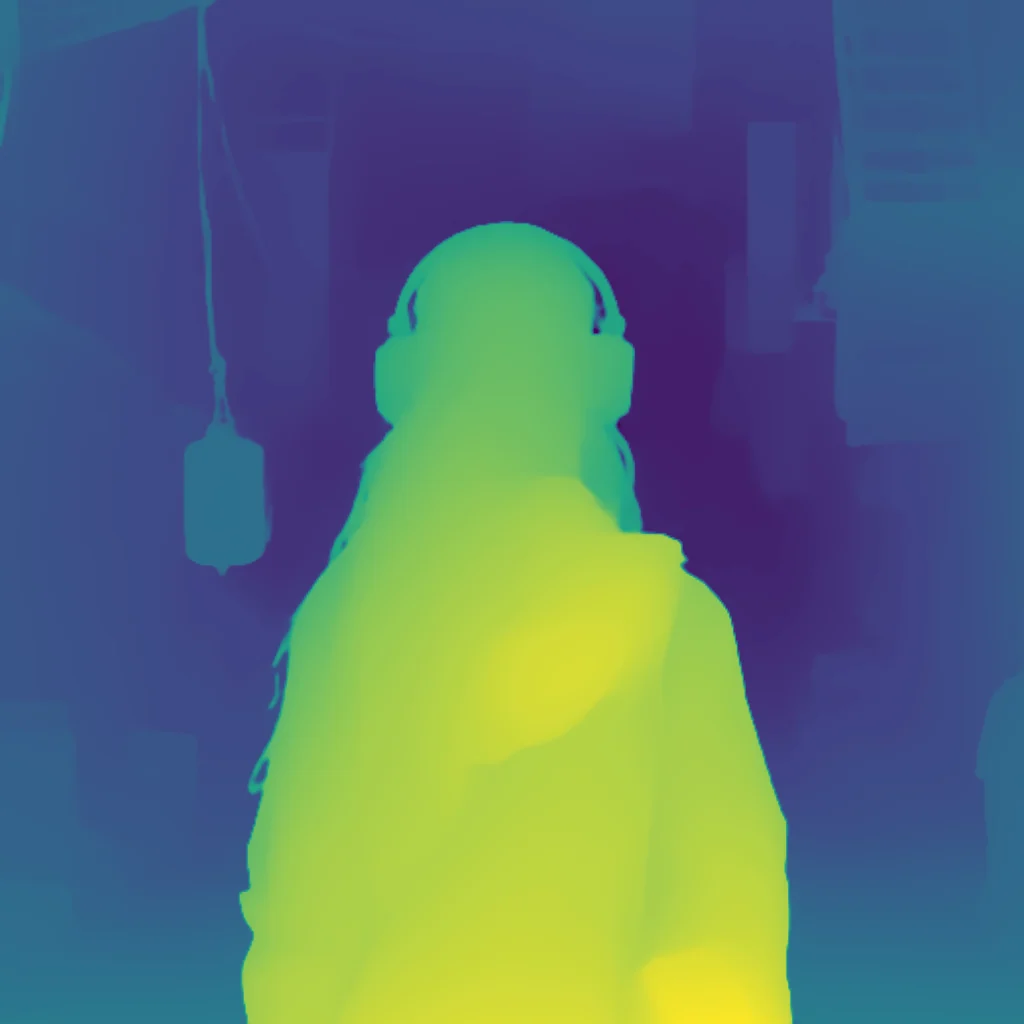
A monocular depth model works a depth map out of a single flat photo — no depth scanner, no second lens, no mask painted by hand. It infers the distances the moment you drop an image in, on your GPU, and never sends the picture anywhere.
That map is the thing the rest of the library plugs into. Fog the background and hold the subject crisp. Relight a photo from a direction it was never lit from. Sweep an effect front-to-back through the scene. It’s one control, not an afternoon of masking.
It works out what’s there — it doesn’t invent anything, and it doesn’t take a prompt. No prompts. Just control.
And depth is there when you want it, not a tax on everything else. Most of the library is the flat work you already do — grade, glitch, halftone, grain — and it runs exactly as you’d expect. Depth is one more thing an effect can read, on the effects where that earns something. Nothing makes you use it.
Real methods, not filters
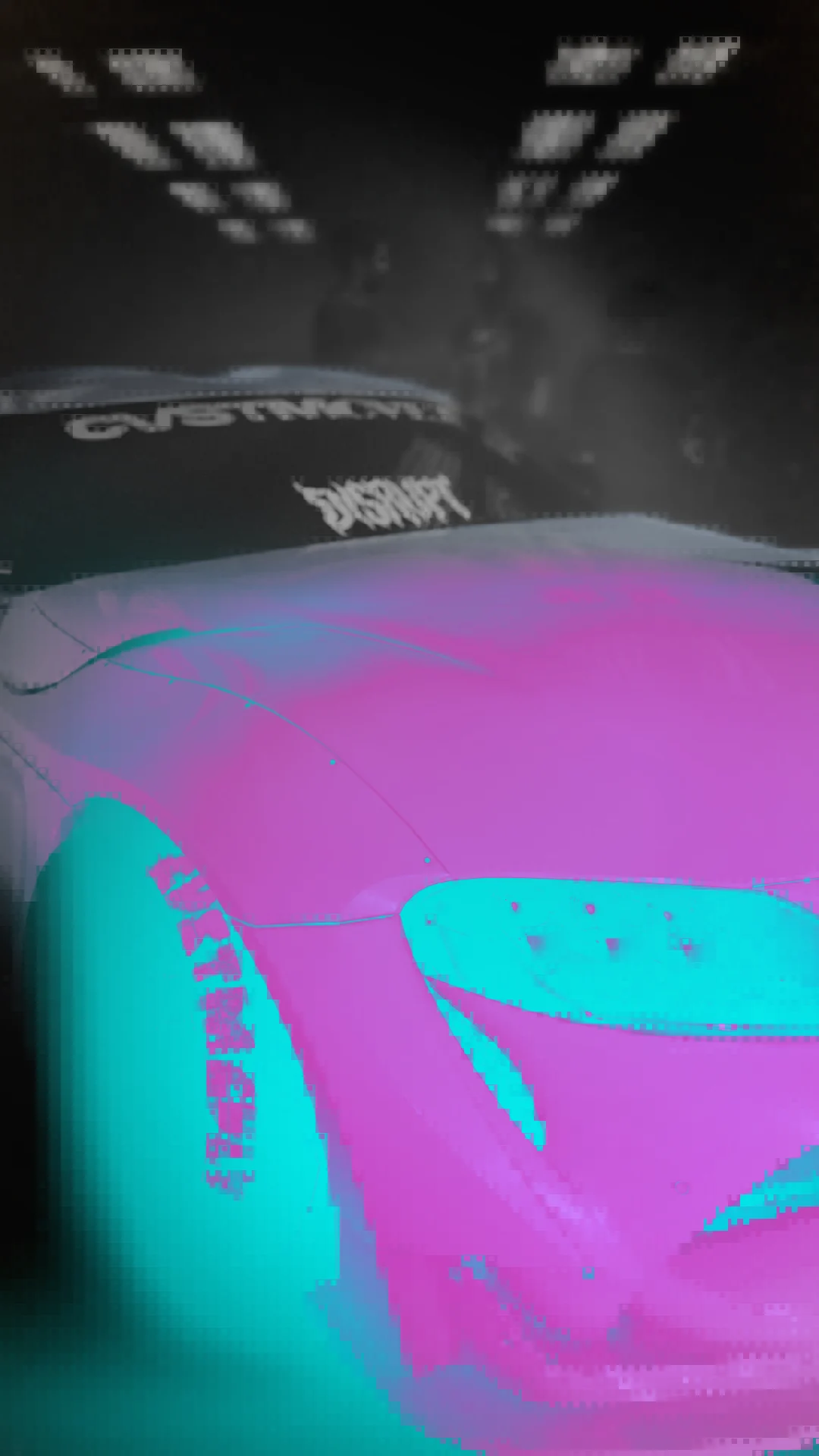
No presets cosplaying as effects. The JPEG glitch runs a real 8×8 DCT — forward transform, quantise against actual JPEG tables, inverse — so the artefacts are real because the compression is. A CRT modelled to the shadow-mask, down to the Trinitron’s damper wires. Gray–Scott reaction–diffusion growing Turing patterns out of your image. True per-span pixel-sorting, datamosh on feedback buffers, film grain on real stocks.
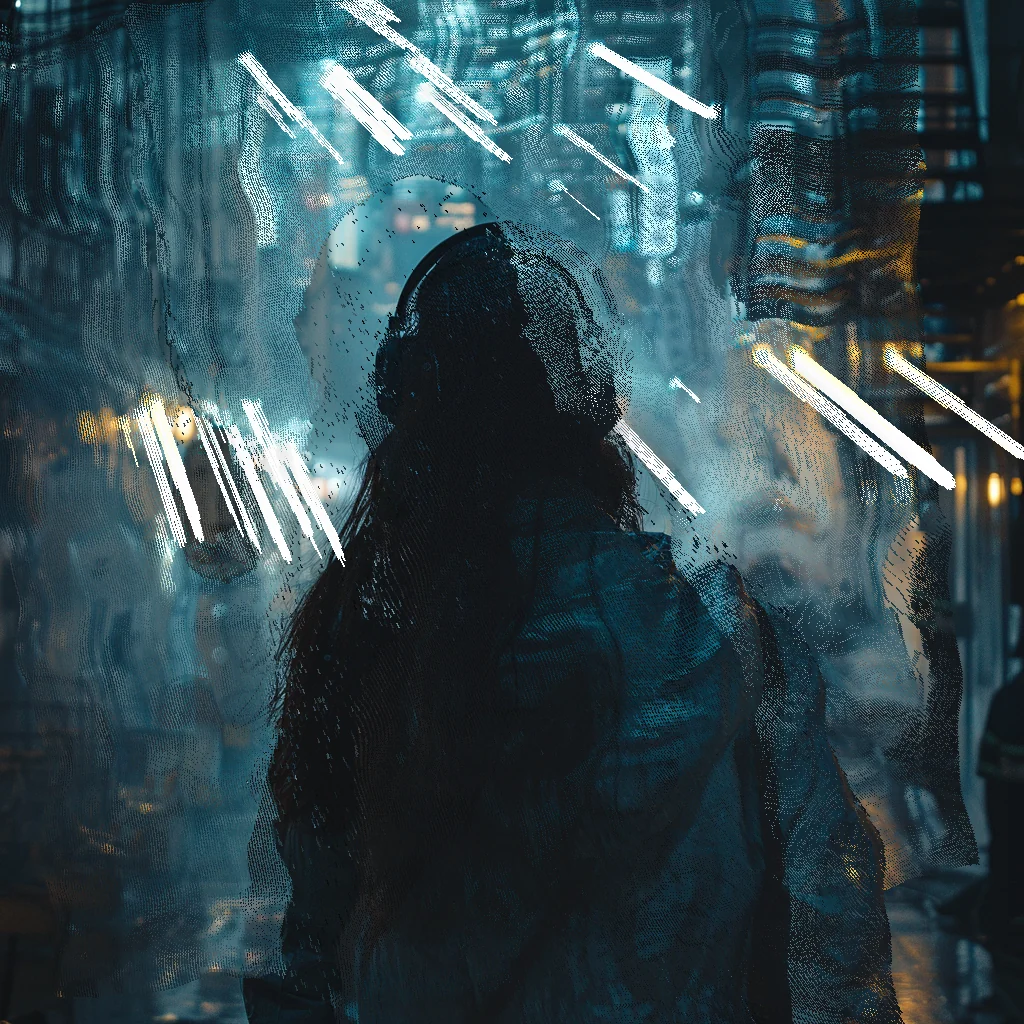
And a handful that only work because they read depth. Point Cloud rebuilds your photo as a real 3D point cloud — every pixel lifted into space with true depth-buffer occlusion, sortable, scatterable, lit from above. Pixel-sort along the scene’s depth instead of flat rows. Depth DOF focuses exactly where the depth is, not behind a flat radial fake. Stack ASCII under Depth Shatter and the characters scatter along the depth, not the flat grid. Our own builds, from the method up — and built to stack.
Not generative AI
Nothing in V3KTR invents image content. No prompt box, and nothing in here that will hallucinate a hand onto your photo.
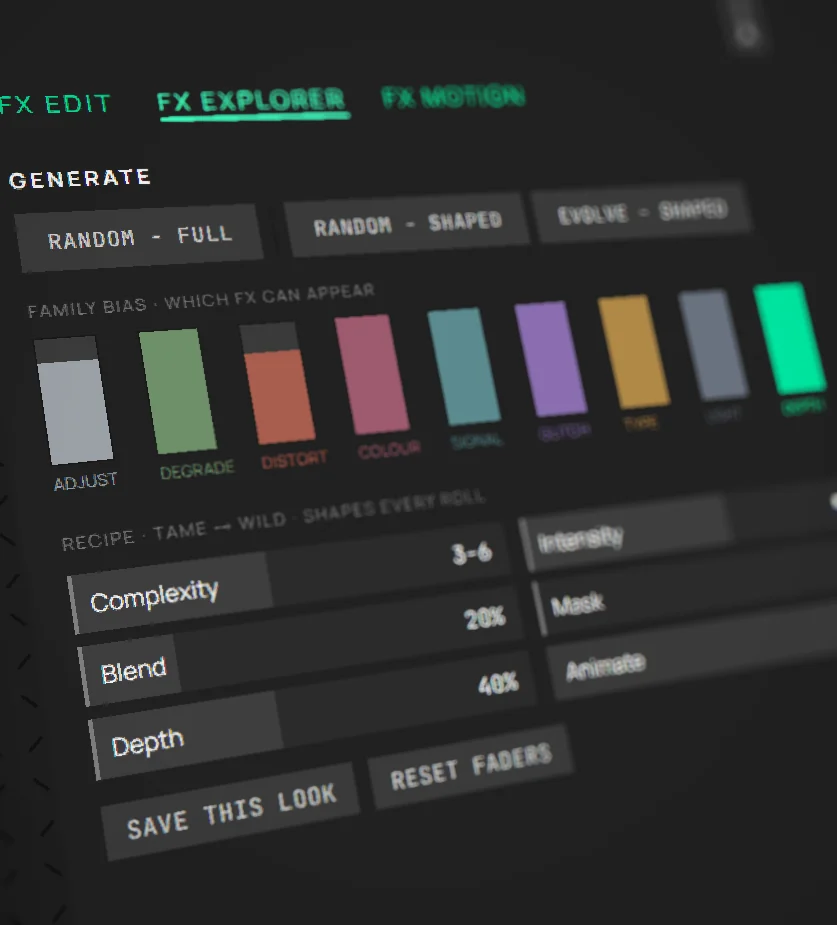
There is a Generate button, and it’s worth being precise about what it does: it rolls a recipe, not pixels. It picks which effects go in the stack and where their parameters land — and you shape the roll with faders for complexity, intensity, blend variation, mask variation and how hard it leans on depth. Dice on a recipe. Every pixel you end up with was put there by an effect you can open, see the method of, and turn down.
There is one model in here, and it’s analytical, not generative: it works out how far into the scene things sit. It reads the picture and adds nothing to it — and it runs on your machine, so your images aren’t training anything, because they never leave.
What that buys you is the thing generative tools keep taking away: control. Move a slider, see it now — not in thirty seconds, and not as a different picture. Don’t like it? Move it back. Nothing is a re-roll of the dice you can’t reproduce; a look is a recipe you can reopen and change one number in.
Three things you do here
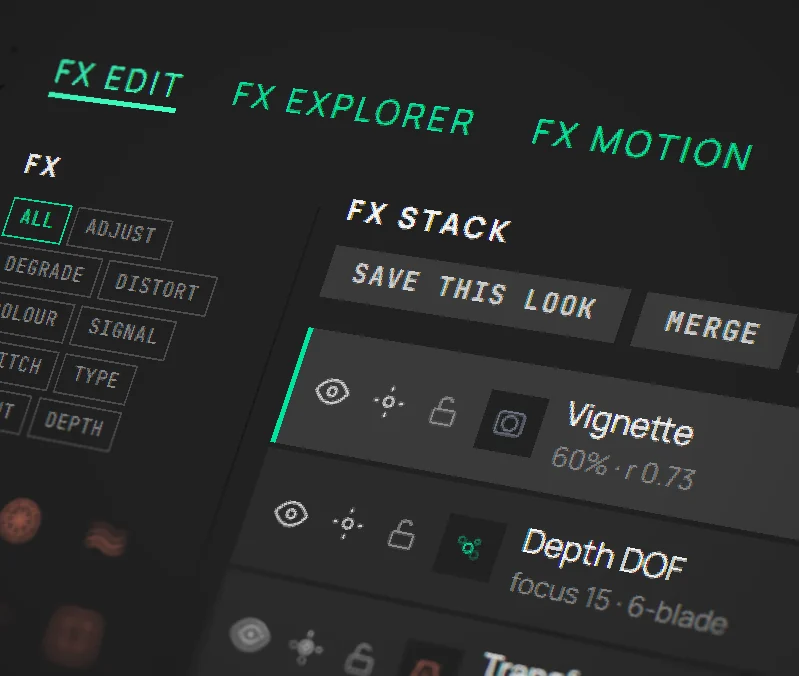
FX EDIT. Stack effects in layers, blend and reorder them, tune every parameter by hand. The full palette, deep control, real-time.
FX EXPLORER. Roll a fresh stack, shape one toward a look, or evolve the one you’ve got. Save the keepers as looks, build your own, share them.
FX MOTION. Animate any parameter and export a clean looping clip — MP4 or WebM, up to 4K, rendered in your browser. No keyframes, no timeline, no server. Motion saves with the look.
The library keeps growing
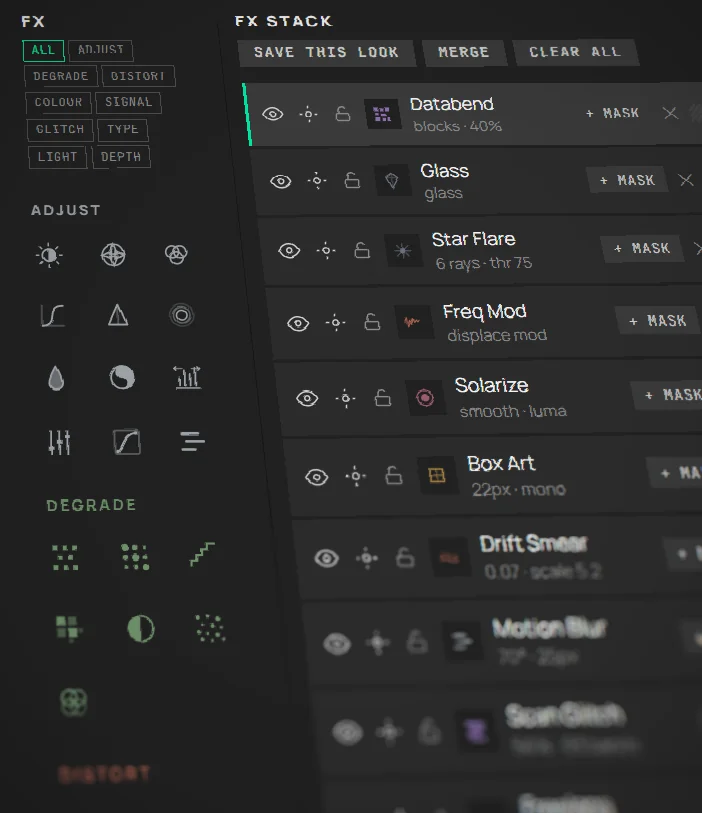
Nine families — Adjust, Degrade, Distort, Colour, Signal, Glitch, Type, Light and Depth — eighty-six effects across them, each listed on the FX page with its real method named. The effects you know, plus a stack that runs them through each other into combinations nobody has tried.
One product, one direction — pointed deep at image FX and nothing else. New effects land all the time, and the people who paid get them first.
Masks, layers, and the day-to-day
Every effect takes its own masks — up to four on a layer, combined with add, subtract or intersect, drawn from five sources: radial, linear, gradient, luma and depth. The depth one is the one nothing else has. A spanning Mask FX layer shapes a whole stack in one move, and masks animate: Reveal, Iris, Wipe, Depth Sweep, Travel.
Around that sits the boring stuff that decides whether a tool is actually usable. Reorder and blend layers freely. Lock a layer you like and keep rolling the rest. Undo anything. Save a look and it carries its motion with it. Sign in — free — and your looks follow you across devices. Exports come out at full resolution, with no watermark on any tier.
Fits how you work
Copy in, copy out. Drop an image straight from any app, apply your stack, and the result lands back on your clipboard ready to paste — any still, or any frame of an animation. No project, no install, no format to wrestle.
Works with the tools you already use:

Copy & paste

Adobe Photoshop

Adobe Illustrator

Adobe InDesign

Adobe After Effects

Adobe Lightroom

Adobe Premiere Pro

Affinity Photo
Affinity Designer

Figma

Sketch

Canva

Procreate

DaVinci Resolve

CapCut

Sony Vegas

Blender

Midjourney

GIMP

Penpot
And anywhere else you can paste an image.
What it needs, and what it does with it
V3KTR runs on WebGPU — the browser’s modern graphics API. That means a current Chrome, Edge or Safari, on a machine with a working GPU driver. If WebGPU can’t start, you’ll get told so on a full screen, up front, rather than watching something look quietly broken.
It measures your machine instead of assuming the worst. The preview resolution is on a live control loop: it steps down when a render runs past its GPU time budget and climbs back only once there’s comfortable headroom, with a cooldown so it doesn’t flutter while you’re dragging a slider. You can also pin it — full, 50%, 25% — if you’d rather decide yourself.
Exports aren’t quietly softened. The export resolution scales with the GPU you actually have, measured, rather than a flat floor set for the weakest card imaginable. On the weakest machine in the test rack, 6, 10 and 12-layer 4K exports all render at native resolution; on a mid-range desktop card a 24-layer 4K stack renders native without dropping the device. A file that says 4K has 4K in it.
The work goes where it belongs. Most effects are shaders on the GPU. A strictly serial one — error-diffusion dithering scans pixel by pixel and can’t be parallelised — runs on the CPU in a worker instead, where it’s roughly nine times faster, can’t hang the renderer, and doesn’t freeze the tab while a big image exports. Depth is inferred once per image and cached, so toggling and tuning depth effects never pays for it twice; the model is about 50MB, fetched on first use, then cached by your browser.
Tablets get looked after. Touch devices have far less GPU headroom, and the auto-scaler is reactive — it can only pull back after it’s seen a heavy render, which is one render too late. So on a tablet it starts cautious and stays capped rather than climbing into a crash. It also respects reduced-motion preferences, and the whole interface has a density control if the default is too big or too small for your screen.
It’s a desktop-class app — it wants a real screen and a pointer. It runs on an iPad; it isn’t a phone app, and pretending otherwise would waste your time.
Where it’s going
V3KTR ships constantly. Not in annual versions with a launch event — in small releases, most weeks, because it’s one product pointed at one thing and there’s no release train to wait for. Effects land, effects get sharper, and the unglamorous work — crashes, memory, export quality — gets done in public alongside them. The feed is the running record of it.
Some of what’s next is already designed and waiting its turn. Some of it isn’t decided yet. That second category is the interesting one.
Feature requests genuinely land. If you use this thing seriously and something is missing, that’s the most useful information there is — and it goes straight to the person building it. Tell me what you’re trying to make and what’s in the way: get in touch.
How access works
The full app is free to use, with no time limit and no account needed. Generate, stack, mask, animate and export at full resolution — every feature, not a preview of one. It comes with two complete FX families — Adjust and Colour — plus a real taste of every other one, depth included. The only limit is how much of the library you can reach.
A purchase opens the rest of the library and twelve months of new effects as they land. It’s one payment — no subscription, no recurring charge, and not paying again doesn’t switch anything off. Renewal is optional and adds another year; skip it and you stay on the version you’re on. What you’re buying is a right to use the app, licensed rather than sold. The detail is on Pricing.